
Configuring your application
Configure required settings in the Lean Dashboard before enabling Open Finance payments.
Overview
This page explains how to configure your application for Open Finance payments using the Lean Application Dashboard.
You’ll set up customer-facing consent copy and define redirect URLs used during Open Finance payment and consent flows.
Enabling Open Finance
Before you can use Open Finance payment flows, Open Finance must be enabled on your application.
Contact Lean Support to request activation. Once enabled, you can complete the required configuration and begin integrating Open Finance payments.
Consent purpose and benefit statements
Open Finance requires you to keep your customers informed about the purpose of the payment and the reason for engagement. You must configure consent copy that is presented to customers during the authorisation flow.
Use the Settings tab in the Lean Application Dashboard to configure the following, in both English and Arabic.
-
Purpose statement for payment consents
-
Benefit statement for payment consents
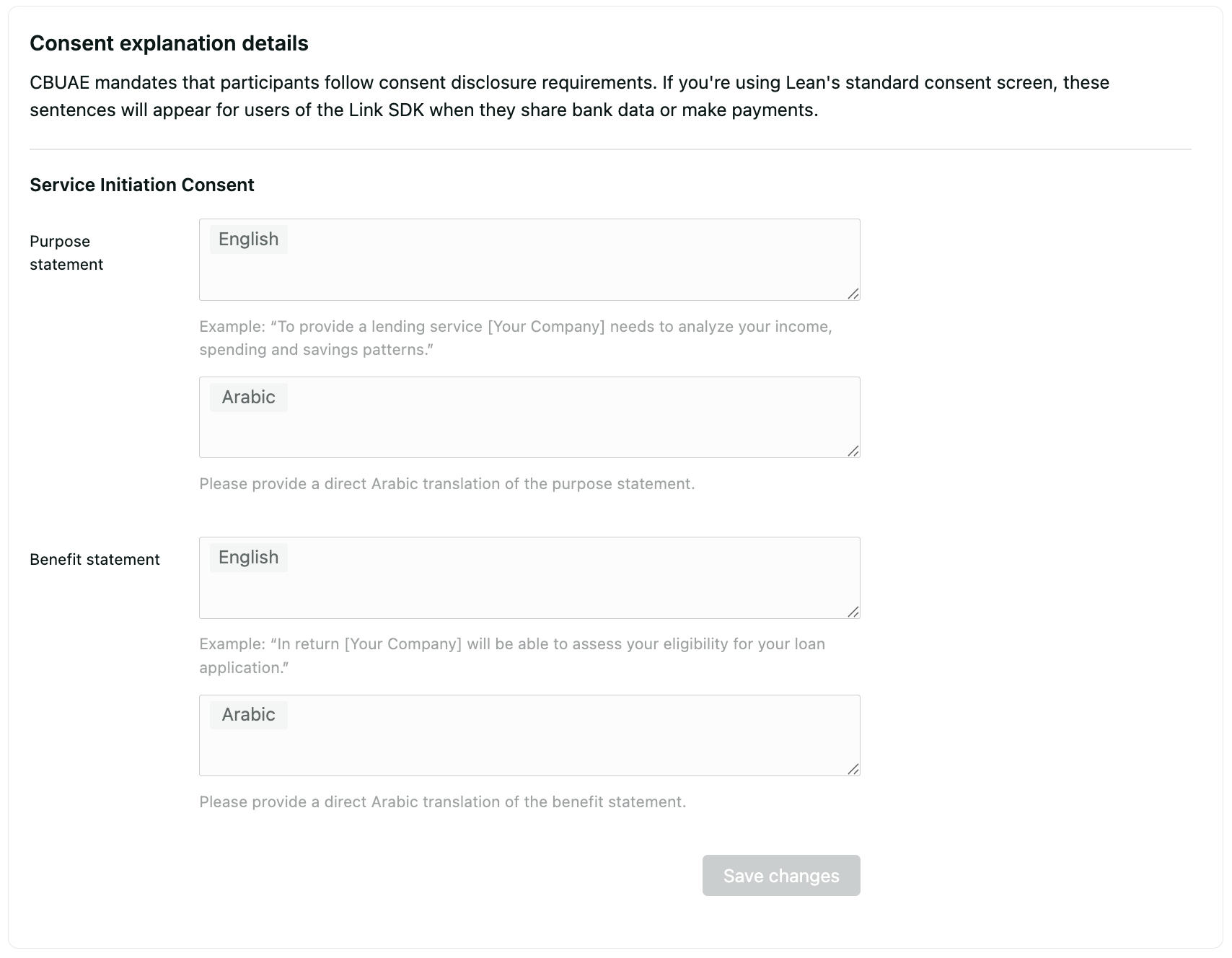
Purpose and Benefit Statement Configuration
Redirection URLs
After a customer completes authentication and payment or consent authorisation in their bank app, Lean redirects the customer back to your application. The redirection uses the redirect URL provided as part of the request.
For security reasons, this URL must be preconfigured in the Settings tab of the Lean Application Dashboard.
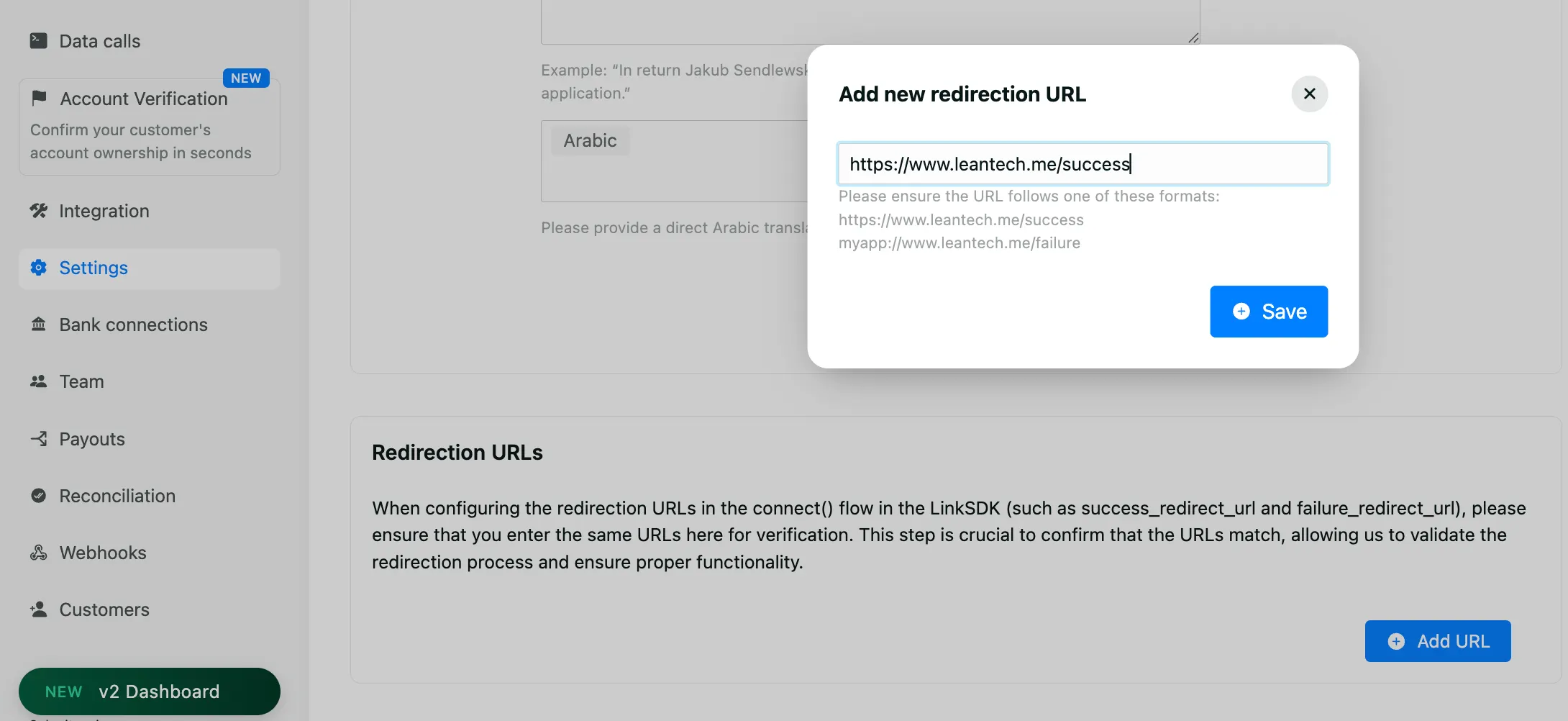
Redirection URL configuration
Updated 9 months ago