
Getting started with Single Instant Payments
Pay by bank solution offering single one time payments ideal for wallet/account deposits and guest checkouts
Overview
Single Instant Payments (SIP) enables you to initiate one off, immediate payments on behalf of your customers. Each payment is individually authorised by the customer via their bank and executed instantly upon authorisation.
Prerequisites
- Configured application for Open Finance
- Created a Payment Destination
- Created a Customer
How it works
The Single Instant Payment flow consists of the following steps:
- Create an intent that defines the amount, customer, and destination.
- Use LinkSDK to display payment information and redirect customer to their bank for payment authorisation.
- Use LinkSDK with configured redirect URLs to capture the payment authorisation result.
- Receive real-time payment status updates via webhooks.
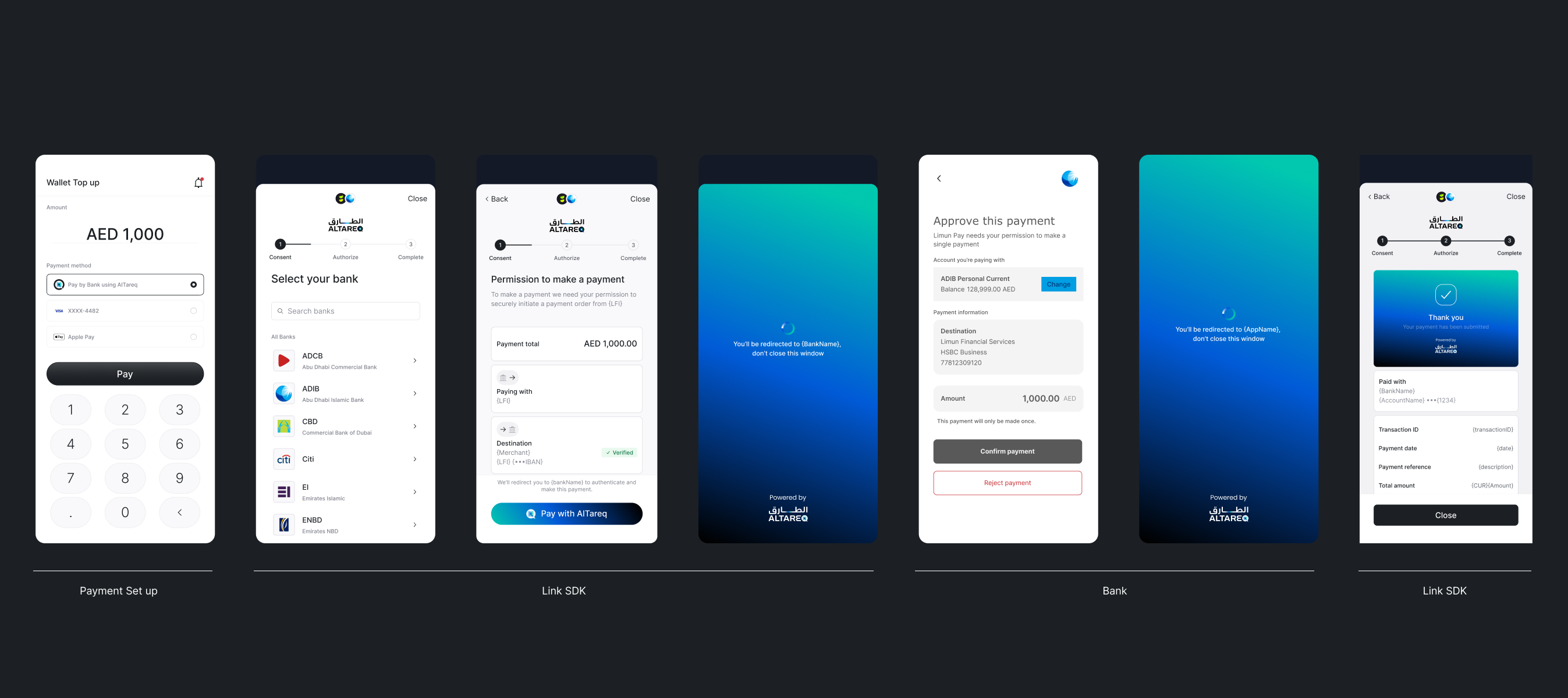
The typical payment flow
Single Instant Payment Flow Diagram
sequenceDiagram
    autonumber
    actor C as Customer
    participant APP as Your app (frontend)
    participant SDK as Lean LinkSDK
    participant BE as Your backend
    participant LEAN as Lean API

    %% 1) Create intent (backend-to-backend)
    rect rgba(255,245,245,0.1)
    Note over BE,LEAN: 1) Create a payment intent
    BE->>+LEAN: POST /payments/v1/intents
    LEAN-->>-BE: 201 Created (payment_intent_id)
    BE-->>APP: Return payment_intent_id
    end

    %% 2) Authorise (LinkSDK + bank redirect)
    rect rgba(255,245,245,0.1)
    Note over APP,SDK: 2) Launch LinkSDK to review and authorise the payment
    APP->>SDK: checkout(payment_intent_id)
    SDK-->>C: Show payment details + bank selection
    Note over C,LEAN: Customer is redirected to their bank to authorise
    end

    %% 3) Capture redirect result
    rect rgba(255,245,245,0.1)
    Note over APP,SDK: 3) Capture the redirect back to your app
    APP->>SDK: captureRedirect()
    SDK-->>APP: Authorisation result (success / failure)
    SDK-->>C: Show confirmation / error screen
    end

    %% 4) Webhooks (payment updates)
    rect rgba(255,245,245,0.1)
    Note over LEAN,BE: 4) Receive real-time payment status updates
    LEAN-->>BE: Webhook: payment.created
    LEAN-->>BE: Webhook: payment.updated
    end
Updated 7 months ago
Did this page help you?